If you work with Android phones long enough, you’ll hear about UMT Dongle sooner or later. Some people treat it like a magic stick. Others get frustrated and quit after the first error message.
I’ve used UMT Dongle 2.7 across different setups, mostly for MTK and Qualcomm devices, and version 2.7 feels like a stability-focused release rather than a flashy one. That’s actually a good thing if you’re doing repair work daily.
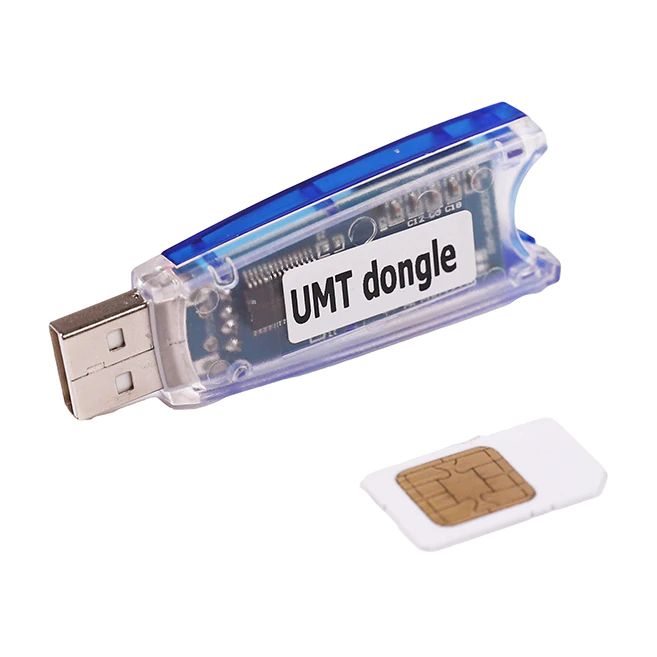
This article is written for people who want to know how it behaves in real life, not just what the feature list claims.
What Is UMT Dongle and Who Is It For?
UMT Dongle is a hardware-based mobile servicing tool used for flashing, unlocking, repairing IMEI, removing FRP, and handling dead boot situations on Android devices.
It’s mainly built for:
- Mobile repair technicians
- Freelance unlockers
- Small repair shops
- Advanced users working on multiple phones
If you’re a casual user fixing one phone, this tool may feel heavy. If you touch phones daily, it saves time.
What’s Different in UMT Dongle Version 2.7
Version 2.7 doesn’t try to reinvent anything. Instead, it tightens things up.
From my use:
- Fewer random crashes during MTK operations
- Better response when switching between modules
- Cleaner device detection on older Qualcomm phones
One thing I noticed is that it handles repeated reconnects better. Earlier versions sometimes froze after two or three failed attempts. That’s much less common now.
Supported Chipsets and Models (What Actually Works)
UMT Dongle supports a wide range of:
- MTK devices (old and mid-range)
- Qualcomm models
- Some Spreadtrum phones
That said, support doesn’t mean guaranteed success. I’ve had phones detected but refused certain operations due to security patches.
This explains why many users search for “UMT Dongle supported models” after installation. The list changes quietly with updates, and version 2.7 works best on devices released before strict hardware-level protection became common.
Common Problems Users Face (And Real Fixes)
UMT Dongle not opening
Most of the time, this isn’t the dongle itself. It’s missing Visual C++ files or blocked drivers. Installing required runtimes and running as admin fixes it.
Driver error on Windows
Windows 10 and 11 love blocking unsigned drivers. Turning off driver signature enforcement before installation saves headaches.
Stuck on “Waiting for Device”
This is one of the most searched problems. In my experience, it’s usually:
- Wrong boot key combination
- Wrong USB port
- Incorrect preloader driver
Switching cables sounds silly, but it’s fixed more issues than I can count.
License Questions People Don’t Ask Loudly
UMT Dongle needs an active license. Without it, you can open the interface, but functions stay locked. That’s why “UMT Dongle license expired” searches keep popping up.
Renewals are part of using professional tools. Anyone telling you otherwise is cutting corners.
Is UMT Dongle Safe for Phones?
Used properly, yes.
Problems usually come from rushing:
- Flashing without backup
- Selecting wrong model
- Ignoring chipset differences
I’ve seen phones saved from dead boot with UMT, and I’ve seen phones bricked by careless clicks. The tool doesn’t forgive mistakes.
Who Should Use UMT Dongle 2.7
This version makes sense if:
- You repair phones regularly
- You deal with MTK devices often
- You understand boot modes and drivers
- You’re okay with learning through trial
If you expect one-click fixes without understanding what’s happening, frustration is guaranteed.
1.Does UMT Dongle work without an active license?
No. The software opens, but most functions stay locked until a valid license is detected.
2.Why is UMT Dongle stuck on “Waiting for Device”?
This usually happens due to wrong USB drivers, incorrect boot mode, or unsupported chipset.
3.Is UMT Dongle safe for permanent phone repair work?
Yes, when used correctly. Most issues come from flashing the wrong firmware or skipping backups.
4.Why does UMT Dongle not open on Windows 11?
Driver signature enforcement and missing runtime files are common causes.
5.Can UMT Dongle repair dead boot phones?
In many cases, yes—especially MTK devices—but success depends on hardware condition and chipset.