I first stumbled on System Ninja several years back when my old laptop felt like molasses on a cold morning. You know how Windows can get cluttered — temp files, leftover installers, startup apps you forgot about. I needed something quick, simple, and reliable. That search led me to System Ninja Version 4.0.1 is the latest stable build, and after using it on several machines, I can tell you it still feels like the tool I hoped for back then.
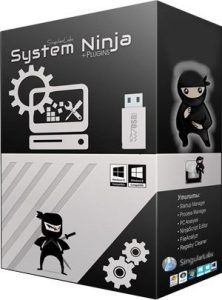
If you’re here to find out what System Ninja is, what it does, and whether version 4.0.1 is worth your time, you’re in the right place.
What Is System Ninja?
System Ninja is a Windows optimization utility that focuses on cleaning junk files, managing startup programs, and spotting leftover system clutter. It’s not a full suite with antivirus or firewall tools — that’s not its focus. Instead, it stays light, user-friendly, and effective for everyday cleanup needs.
Imagine it as scissors for all the digital threads Windows leaves behind.
Many long-time users appreciate how it avoids bloated design and gets right to the tasks most Windows users need.
What’s New in Version 4.0.1?
Version 4.0.1 isn’t a flashy overhaul, but it feels smoother. There’s less stalling when scanning temp folders, and the results are easier to read at a glance.
Here’s what I noticed after running it:
- Faster junk file scanning
- Cleaner startup list presentation
- Fewer false positives in registry results
- Better compatibility with Windows 11
For example, on my daily driver machine, I ran the scan before and after installing a big video app. It spotted leftover bits that even Windows Disk Cleanup missed.
Main Features Explained
Junk File Cleaner
This is where most people start. System Ninja looks through temp folders, caches, and leftover installers. Inevitably, you’ll find gigabytes of junk you didn’t know you had.
When I first ran it on my work PC, I freed up over 6GB — enough to install a game without hunting for space.
Startup Manager
Ever wondered why Windows takes forever to boot? Many apps sneak into the startup list.
System Ninja groups these programs and lets you disable them with a click. I disabled three non-essential apps and shaved 15 seconds off my boot time.
Registry Cleaner
This tool finds invalid or leftover registry entries. I always back up before I run it — just because mistakes happen — but it has never caused issues on my systems.
Uninstaller Help
It doesn’t replace Windows’ uninstaller, but it helps you clean up leftovers after removing apps.
System Ninja and Windows Versions
System Ninja 4.0.1 supports:
- Windows 7
- Windows 8
- Windows 10
- Windows 11
That’s useful if you manage older hardware alongside a new machine. It’s one app that works across all of them.
Common Beginner Questions
Does it repair corrupt files?
No. System Ninja cleans and manages, but it doesn’t repair damaged Windows system files — use Windows tools like SFC or DISM for that.
Will it delete personal files?
Not normally. It focuses on temp and leftover system files. Still, always double-check the selections before deleting.
Can it replace an antivirus?
No. System Ninja doesn’t scan for malware or viruses. It’s purely a cleanup and optimization tool.
Tips for Best Results
Here’s what I learned after using it on different systems:
- Scan often if you install/uninstall apps frequently
- Use startup manager on every machine — it’s the fastest way to feel a speed boost
- Backup registry when using the registry cleaner — just in case
- Don’t expect miracles, but do expect results
1. What is System Ninja used for?
Answer: System Ninja removes junk files, manages startup programs, and trims unnecessary items from Windows to speed up a PC.
You’re not alone if you wondered why your slow PC still had GBs of temp files. System Ninja’s cleaning sections help you find and remove those safely.
2. Is System Ninja 4.0.1 safe to use?
Answer: Yes, System Ninja 4.0.1 is safe when downloaded from the official site and doesn’t include malware or unwanted software.
Many Windows cleaning tools bundle extra apps. I’ve used System Ninja for years, and the installer stays clean.
3. Does System Ninja work on Windows 11?
Answer: Yes, System Ninja 4.0.1 supports Windows 7, 8, 10, and 11.
That’s helpful if you have multiple machines running different versions — one cleaner works across them.
4. Can System Ninja remove startup programs?
Answer: Yes, it has a startup program manager that lists and lets you disable unwanted auto-start apps.
It doesn’t force removal — it just helps you take control so Windows boots faster.
5. Does System Ninja fix registry errors?
Answer: Yes, it includes a registry cleaner that finds and removes invalid or leftover entries.
But take your time with registry cleanup — I always back up before I run it in case I need to revert.