If you work with Android phones long enough, you eventually hear about HCU Dongle. Sometimes it comes up in repair shops. Sometimes in Telegram groups. Other times when someone’s phone is stuck and nothing else works.
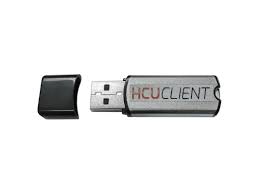
This article focuses on HCU Dongle 1.0.0.0382, the version most people are using right now. No sales talk. No fluff. Just what it actually does, where users get confused, and what you should know before installing it.
I’ve seen many tools come and go. HCU Dongle stays around because it solves specific problems that normal software can’t touch.
What Is HCU Dongle Used For?
HCU Dongle is a hardware-based Android service tool. It connects to a computer using a USB dongle and allows deeper phone operations that standard software tools can’t perform alone.
Most users rely on it for:
- FRP removal
- Factory reset fixes
- Service-level phone access
- Firmware-related tasks
- Device communication when phones won’t boot normally
It’s mostly used by technicians, but advanced users also run it at home.
What’s Special About Version 1.0.0.0382?
Version 1.0.0.0382 didn’t change the tool’s purpose, but it improved daily usability.
From hands-on use and community feedback:
- Better detection on newer Android builds
- Fewer random disconnects during operations
- Improved stability on Windows 10 and Windows 11
- Smoother startup with fewer background errors
Nothing flashy. Just fewer headaches. And honestly, that’s what most technicians care about.
HCU Dongle Installation: What Actually Matters
Installation looks simple on paper, but this is where many users mess up.
Here’s what works in real life:
- Always install USB drivers first
- Plug the dongle directly into the PC, not a hub
- Disable aggressive antivirus temporarily
- Run the software as administrator
I’ve seen people reinstall Windows before realizing it was just a bad USB cable.
HCU Dongle Supported Models and Compatibility
HCU Dongle supports a wide range of Android devices, especially those using MediaTek chipsets. Support depends on:
- Android version
- Security patch level
- Device boot state
Older devices are usually easier. Newer phones may need specific modes or steps.
That’s normal. It’s not a failure of the tool.
Why HCU Dongle Sometimes Doesn’t Detect Phones
This is the number-one complaint online.
From experience, the causes are usually:
- Wrong USB mode (charging only)
- Missing or outdated drivers
- Phone not in the required mode
- Cable quality issues
- Port conflicts from other tools
Switching cables fixes more problems than people admit.
Is HCU Dongle Safe to Use?
Yes, if you know what you’re doing.
Problems start when users:
- Rush steps
- Ignore model checks
- Use incorrect firmware
- Disconnect mid-process
The tool doesn’t randomly break phones. Mistakes do.
Real-Life Use Case
A shop near me had a phone stuck after a failed reset. Software tools failed. Recovery mode didn’t help. HCU Dongle handled it in minutes once the phone entered the right mode.
That’s why technicians keep it around.
Not for everyday tasks. For the hard ones.
Should You Use HCU Dongle?
If you:
- Repair phones
- Handle FRP issues often
- Work with locked devices
Then yes.
If you just flash ROMs once a year, it’s probably overkill.
1.Does HCU Dongle work on Windows 11?
Yes, HCU Dongle version 1.0.0.0382 works on Windows 11, as long as drivers are installed correctly and USB security settings don’t block the tool.
2.Why is HCU Dongle not detecting my phone?
In most cases, the issue comes from missing USB drivers, wrong USB mode on the phone, or a damaged cable.
3.Is HCU Dongle software free?
No. The software requires an original dongle for full access. Without it, features stay locked.
4.Does HCU Dongle support MediaTek devices?
Yes, MediaTek devices are supported, especially for service-level operations, depending on firmware and chipset.
5.Can HCU Dongle damage a phone?
Used correctly, it’s safe. Problems usually happen when users flash incorrect files or interrupt processes.