If you’re looking up VolumeShaper 7.0, you’re probably trying to understand how it works and why it keeps showing up in rhythmic mix tutorials.
I first grabbed VolumeShaper years ago when I was stuck trying to make a kick and bass groove feel alive without complex sidechain routing. Traditional compressors were fine, but I wanted visual control — more like drawing what I heard.
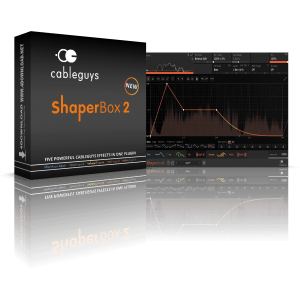
That’s where VolumeShaper fits.
Version 7.0 is the latest standalone build from Cableguys. Even though the plugin has been around a while, 7.0 feels like a polished, modern tool that loads fast and behaves well in everything from a tiny beat project to a full commercial mix.
It’s one of those tools that doesn’t need a huge user manual. You open it, draw a curve, and hear results right away.
What VolumeShaper Does (Explained Simply)
At its core, VolumeShaper lets you change volume over time using a drawn curve.
Instead of setting up sidechain routing with a compressor, you can:
- Draw where volume dips and rises
- Shape total mix energy
- Gate sounds rhythmically
- Create ducking that follows your groove
For example, if your kick hits and you want the bass to get quieter just at that moment, you draw a dip in the VolumeShaper curve. On each beat, the bass ducks. That’s sidechain — but without routing.
It’s visual and flexible.
How to Sidechain with VolumeShaper (Friendly Approach)
People ask, “How do I sidechain with VolumeShaper?” Here’s how I do it:
- Load VolumeShaper on the track you want to shape (e.g., bass).
- In the editor, draw a valley at every kick hit.
- Match your DAW tempo so the pattern syncs.
- Tweak the depth and curve shape until the dip feels right.
This way, the duck doesn’t come from a separate compressor — it comes from what you drew.
I remember once trying to sidechain on a project where traditional compressors made the bass wobble oddly. With VolumeShaper, I drew a gentle slope and suddenly the groove felt natural instead of mechanical.
Why Version 7.0 Matters
Version 7.0 brings:
- Improved DAW integration
- Better UI responsiveness
- Cleaner syncing with tempo
- Smaller CPU footprint
Not giant flashy features, but the little refinements that make it feel more solid than older builds.
I dropped it into a heavy project once and didn’t have the usual dropouts I’d seen with older rhythmic tools. That alone was refreshing.
And yes, it supports the usual plugin formats — AU on Mac, VST3 everywhere, AAX for Pro Tools.
Fixes & Common Problems
People sometimes say the audio crackles or the plugin doesn’t show up. Those usually trace back to:
- Buffer issues — raising buffer size in your audio settings often fixes crackling.
- Plugin scanning — rescan your plugin paths if VolumeShaper doesn’t appear.
- Compatibility modes — on Windows 11, sometimes you get better stability with the 64‑bit VST3 version.
These aren’t VolumeShaper bugs — they’re common issues with audio routing and buffer latency in DAWs.
When to Use VolumeShaper (Real Talk)
I’ve used it on:
- Basslines for rhythmic pump
- Drum loops to make grooves breathe
- Mix buses to add movement
- Arpeggiated patterns that need dynamic shape
It’s not always the right tool if all you want is simple compression. But when your rhythm needs shape and movement, it’s often faster and clearer than routing to sidechain compressors.
1.What does VolumeShaper do?
Answer: VolumeShaper 7.0 lets you sculpt audio levels over time with a drawn waveform, creating rhythmic gates, sidechain curves, ducking patterns, and precise volume automation — more visually than typical compressors.
You can make a kick pump a bassline or gate a rhythm without setting up sidechain routing.
2.How do you sidechain with VolumeShaper?
Answer: Place VolumeShaper on the track you want to duck, draw the curve where volume dips on each kick, and the plugin will lower volume at those points.
No routing to a compressor needed.
3.Does VolumeShaper 7.0 work on Windows 11 and macOS?
Answer: Yes. Version 7.0 supports the latest DAWs on both Windows and macOS with VST3/AU/AAX formats.
It loads cleanly in Ableton, FL Studio, Logic, and Pro Tools.
4.Why does VolumeShaper audio sometimes crackle?
Answer: Crackles usually come from buffer/latency mismatches in your DAW. Increasing buffer size and enabling multithreaded processing often fixes it.