 Posted by
When you search for UFI Dongle version 1.8.0.3246, that usually means one thing: you want the latest software details, installation help, and real user tips not usually found on dry download pages. I’ve used this tool in a few repair benches and seen the same questions over and over again — especially around setup, activation, and troubleshooting.
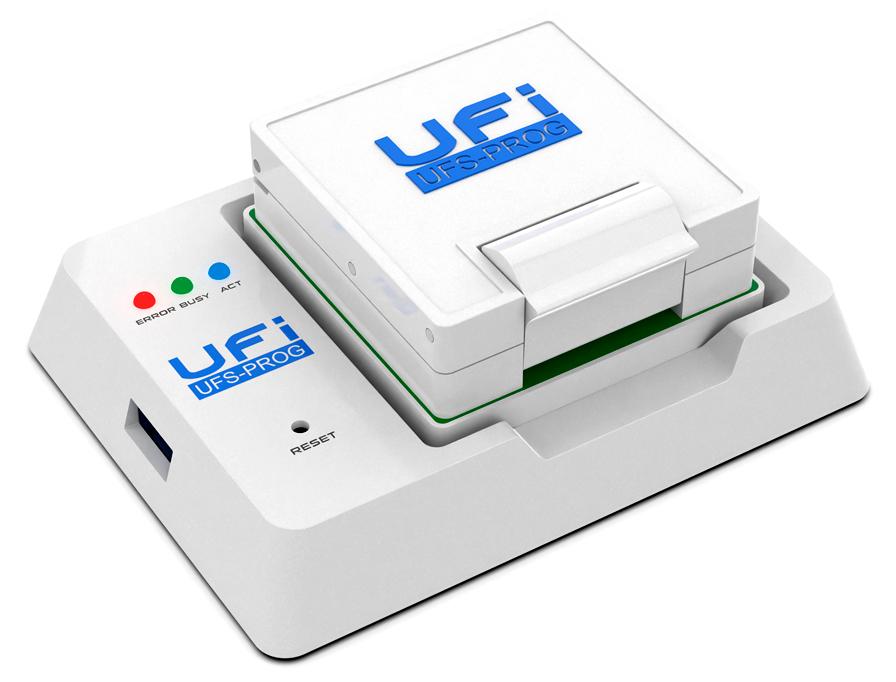
This article is written from that perspective — practical, upfront, and friendly.
What Is UFI Dongle and What Does Version 1.8.0.3246 Mean?
UFI Dongle itself is a hardware security key. When you plug it into your Windows machine and run UFI software, it unlocks the full set of repair tools. It’s similar to how some legacy repair suites worked, but modern updates let the software and dongle communicate more reliably on updated Windows systems.
Version 1.8.0.3246 is the latest publicly available build of UFI’s software suite. It includes everything from Android ToolBox and eMMC/UFS programming tools to firmware writers and chip‑level repair utilities you’ll find inside the UFI interface.
What You Get With UFI Software 1.8.0.3246
Inside this version you’ll see tools that cover:
- Android ToolBox — For Android partitions, fastboot mode fixes, boot repair, and backup
- eMMC Programmer — Read/write eMMC memory directly for board‑level data access
- UFS ToolBox — For UFS chips on newer phones
- Direct eMMC mode and ISP mode support
In real use, this means you can pull raw chip data, rewrite partitions, fix bootloops, and recover data where consumer tools fail. On a couple of teardown jobs, this setup turned what would have been a dead phone into a working device with basic data intact.
I like that version 1.8.0.3246 installs smoothly and doesn’t throw obscure errors during use — something that older builds sometimes did when running on Windows 10.
How to Install UFI Software 1.8.0.3246
Installation keeps a few technicians stuck, so here’s how I handle it:
- Download the official UFI software package.
- Extract the ZIP to a local folder you control.
- Run the installer as Administrator (right‑click → Run as admin).
- Plug in your UFI Dongle when prompted — Windows should detect it.
- Install the USB drivers from the same folder or allow Windows to find them automatically.
If your dongle doesn’t show up in Device Manager after step 4, reinstall the drivers manually — that usually fixes it.
After installation, restart your machine before using the tools. This avoids a lot of “device not found” frustrations that technicians often post about on forums.
Does UFI Dongle 1.8.0.3246 Need Internet?
Once you install and activate the UFI software, you don’t need the internet to perform repairs. Activation and updates do require an internet connection, but once that’s done, you can use the tools offline.
This matters when you’re working in shops with limited network access. Just activate once, then work freely.
Typical Problems and Solutions
Here are common pain points I’ve seen and what fixed them for me:
UFI Dongle not recognized
This is usually driver related. Completely remove old drivers and install the ones from the UFI package.
Software freezes when using Android ToolBox
Close all other USB devices temporarily. Some USB hubs grab power and interfere.
eMMC programmer shows “bus error”
Try a different USB port on your PC. Some boards need full power — backports sometimes don’t cut it.
Windows Compatibility
Good news: UFI Software version 1.8.0.3246 runs well on Windows 7, Windows 8, 8.1, and Windows 10 (both 32 and 64‑bit), if you meet these rough specs:
- At least 4GB RAM
- Free 20GB disk space
- USB 2.0 or 3.0 port for dongle and tools
- Admin rights during install
No need for special hardware if you’re just using the dongle and software on your laptop.
Is It Worth Upgrading?
Short answer: yes, most technicians I know upgrade to 1.8.0.3246 because that version runs smoother with newer phones and doesn’t crash on common board view tasks.
Older builds sometimes behave oddly on Windows 10 when reading eMMC contents or pulling partitions. This version feels like it was tested in real repair environments.
Q1: What exactly is the UFI Dongle?
It’s a hardware key that unlocks the UFI software suite for board‑level phone repair tools like Android ToolBox and eMMC Programmer.
Q2: Does UFI Dongle 1.8.0.3246 work on Windows 10?
Yes, the UFI software version 1.8.0.3246 is designed to run on Windows 7 up through Windows 10 comfortably.
Q3: Why does my UFI Dongle not show up in Device Manager?
Often it’s a driver issue — reinstalling the UFI Dongle drivers usually fixes detection problems.
Q4: Do I need internet to use UFI software after activation?
No. After activation, you can use UFI tools offline, but internet is required for updates and license checks.
Q5: Can UFI software program eMMC/chip directly?
Yes, UFI 1.8.0.3246 includes tools for direct eMMC reading, writing, and repair via supporting hardware interfaces.