If you work with phone repairs long enough, you’ve probably crossed paths with Medusa Pro. It’s not a flashy tool. It doesn’t try to impress beginners. But in real workshops, it still earns its spot on the bench.
Medusa Pro v2.2.5.5 is the latest stable software release used with Medusa hardware boxes. It’s mainly built for low-level memory work. Think dead phones, unreadable storage, Qualcomm emergency mode, and UFS chips that other tools refuse to touch.
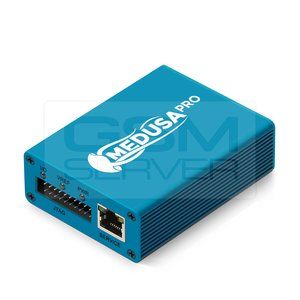
People usually search for Medusa Pro when their phone won’t power on, won’t show storage, or keeps failing during flashing. This version focuses on stability more than new features, and honestly, that’s what matters in repair work.
What Medusa Pro Is Used For in Real Repair Jobs
Medusa Pro isn’t a general flashing tool. It’s a recovery tool.
In daily use, it helps with:
- Reading and writing eMMC and UFS chips
- Fixing dead boot phones
- Accessing Qualcomm devices in 9008 mode
- Repairing corrupted partitions
- Working with ISP pinouts when phones won’t power on
I’ve seen it save devices that were already written off. Phones that stayed black, no vibration, no logo. As long as the memory chip responds, Medusa still has a chance.
What’s New in Medusa Pro Version 2.2.5.5
This version doesn’t scream “big update,” but it quietly fixes real problems technicians complain about.
From hands-on use and release notes, version 2.2.5.5 improves:
- UFS low-voltage handling for newer chips
- Qualcomm 9008 connection stability
- Fewer random disconnects during read operations
- Better parsing of storage layouts
- Minor fixes in ISP communication
If you’ve ever had Medusa freeze halfway through reading a UFS chip, you’ll feel the difference here.
System Requirements and Compatibility
Medusa Pro runs best on:
- Windows 10 or 11 (64-bit)
- Stable USB ports (desktop PCs work better than laptops)
- Proper Medusa drivers installed before first use
Older Windows builds still work, but driver conflicts are common. Many “Medusa not connecting” issues come down to rushed driver installs.
Common Problems and Real Fixes
Medusa Pro not connecting to phone
This often comes from weak USB power or bad cables. Short cables work better. Avoid USB hubs.
Medusa Pro shows no storage
Most of the time, ISP wiring is wrong. Even one misplaced resistor can block detection.
Medusa Pro freezes during read
Lower the speed settings. Fast isn’t always safe with damaged chips.
Medusa Pro empty partitions
This usually means unsupported memory revision or wrong pinout reference.
Is Medusa Pro Still Worth Using?
For advanced repair work, yes.
It’s not beginner-friendly. It won’t guide you step by step. But for technicians who already understand memory repair, it’s still reliable. Especially when newer tools fail or refuse to read damaged chips.
Many shops keep Medusa as a backup tool. That alone says a lot.
Who Should Use Medusa Pro 2.2.5.5
This version makes sense if:
- You repair phones professionally
- You work with dead boot cases
- You already understand ISP and test points
- You deal with UFS storage regularly
If you’re new to phone repair, this tool might feel intimidating. But once you get used to it, it becomes predictable. And predictable tools are gold in repair work.
1.Why does Medusa Pro not detect my phone in 9008 mode?
Direct answer: In most cases, drivers aren’t installed correctly or USB power is unstable.
This usually happens on newer Windows builds or laptops with low USB output.
2.Does Medusa Pro 2.2.5.5 support UFS 4.0?
Direct answer: Yes, limited support is added through low-voltage handling for newer UFS chips.
3.Can Medusa Pro fix dead boot phones?
Direct answer: Yes, if the storage chip is readable and wiring is correct, dead boot recovery works.
4.Is Medusa Pro still updated in 2026?
Direct answer: Yes, updates are slower than before but support for newer storage continues.
5.Why does Medusa Pro show empty partitions?
Direct answer: This usually means incorrect ISP wiring or unsupported memory revision.