If you’ve ever searched for something once and then seen ads for it all week, you already understand the problem Avast AntiTrack tries to fix. I installed AntiTrack out of curiosity more than anything. I already used a VPN and ad blockers, so I wanted to see if it actually added anything or just duplicated tools I already had.
This article focuses on Avast AntiTrack Premium 4.1.0.25 and how it behaves in real, everyday browsing.
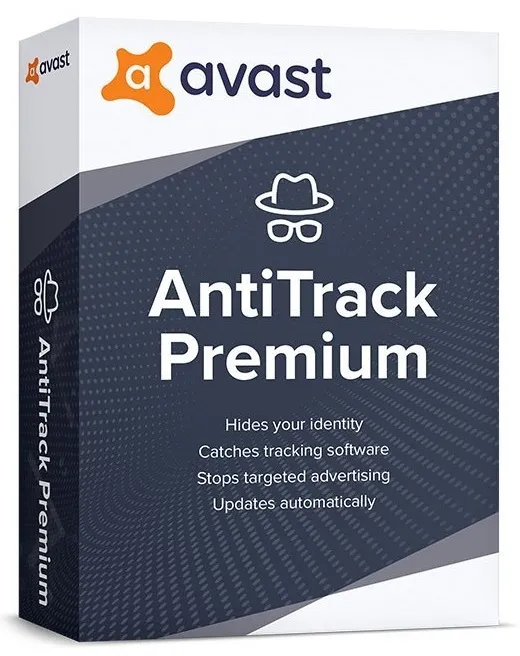
What Is Avast AntiTrack Premium?
Avast AntiTrack Premium is a privacy tool that reduces how websites track you using browser fingerprints. Instead of blocking ads, it changes the data your browser shares so trackers get less consistent information.
That’s different from ad blockers. Ads may still appear, but tracking becomes less reliable.
In plain terms, websites have a harder time building a profile around you.
What Changed in Version 4.1.0.25?
Version 4.1.0.25 focuses more on browser stability than new features. During use, browser crashes were less frequent compared to older builds, especially on Chrome after long sessions.
The interface remains simple:
- Protection status
- Browser list
- Tracking activity logs
No clutter. That’s a good thing.
How Avast AntiTrack Actually Works
AntiTrack doesn’t block trackers the way traditional extensions do. Instead, it modifies browser fingerprint data like screen size, installed fonts, and device info.
I noticed fewer “follow-me” ads after a few days, especially on shopping sites. It wasn’t instant, but the change was noticeable.
It works quietly in the background. No pop-ups, no alerts every five minutes.
Does Avast AntiTrack Premium Really Stop Tracking?
Short answer: it reduces tracking, not erases it.
Some tracking still happens because the internet is messy and sites use many methods. But AntiTrack makes tracking less reliable, which is often enough to break targeted ads.
Think of it as noise added to your digital footprint.
Browser Support and Compatibility
Avast AntiTrack Premium 4.1.0.25 supports:
- Google Chrome
- Microsoft Edge
- Mozilla Firefox
- Opera
Each browser needs the extension installed for full protection. Without it, the desktop app can’t do much on its own.
Does Avast AntiTrack Slow Down Browsing?
Slightly, in some cases.
Heavy websites with many scripts may take an extra second to load. On normal sites, I didn’t notice much difference.
If speed matters more than privacy for you, this might annoy you. For privacy-focused users, it’s usually acceptable.
Is Avast AntiTrack Safe to Use?
Yes, when downloaded from Avast’s official site.
It doesn’t access personal files or browsing history in a readable way. Its role is limited to browser behavior changes.
Avoid cracked versions. Those often cause the problems people complain about in forums.
Real-Life Example: Who Benefits Most
I’d recommend Avast AntiTrack to:
- People tired of constant retargeted ads
- Users who already use antivirus software
- Non-technical users wanting privacy without tweaking settings
I wouldn’t recommend it to:
- Advanced users who already customize browser fingerprints manually
- People expecting total anonymity
Is Avast AntiTrack Worth Paying For?
That depends on expectations.
If you think it replaces a VPN or antivirus, you’ll be disappointed. If you see it as a privacy add-on that quietly reduces tracking, it makes more sense.
For me, it worked best as a background tool I didn’t have to think about.
1.Does Avast AntiTrack Premium 4.1.0.25 work without the browser extension?
No. The desktop app manages protection, but real tracking protection happens through the browser extension.
2.Why does Avast AntiTrack sometimes slow down websites?
Some sites load more scripts than usual. AntiTrack blocks or modifies these, which can add a short delay.
3.Is Avast AntiTrack worth using with a VPN?
Yes. A VPN hides your IP, while AntiTrack reduces browser fingerprinting. They cover different problems.
4.Does Avast AntiTrack protect all browsers?
It supports Chrome, Edge, Firefox, and Opera. Unsupported browsers won’t get full protection.
5.Can I use Avast AntiTrack on multiple devices?
Only if your license allows multiple installations. Single-device plans are common.