If you’ve ever loaded CLA-76 and thought, “Why is this thing so loud and angry?” you’re not alone. That reaction is common, especially for people new to FET-style compressors.
CLA-76 Compressor Version 16 is Waves’ take on the classic 1176, built for speed, punch, and attitude. This article isn’t about selling hype. It’s about how it behaves in real sessions and when it actually helps.
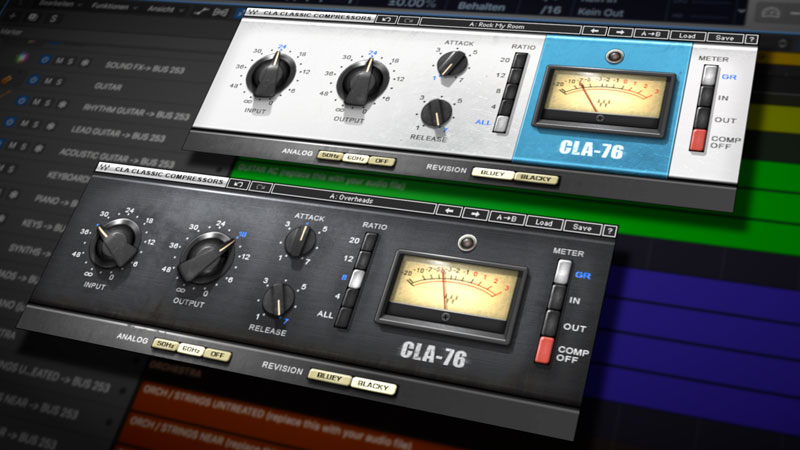
What Is CLA-76 Compressor?
CLA-76 is a digital compressor plugin based on the hardware 1176 units used in countless recordings. Waves offers two versions inside the plugin: Bluey and Blacky, each modeled after different hardware units.
Version 16 doesn’t change the sound character dramatically, but it improves stability, DAW compatibility, and system support.
CLA-76 Version 16 System Requirements
Windows:
- Windows 10 or 11
- 8 GB RAM recommended
- VST3, AAX supported
macOS:
- macOS 12 or newer
- Intel and Apple Silicon
- AU, VST3, AAX supported
Installation happens through Waves Central.
How CLA-76 Actually Works in Practice
CLA-76 uses input gain to drive compression. There’s no threshold knob. The harder you push the input, the harder it clamps down.
At first, this feels backward. After a few sessions, it makes sense.
Attack and release knobs are extremely fast. Even small adjustments change the feel. This is why beginners sometimes struggle with it.
Center Section: Real Mixing Use Cases (500+ Words)
On vocals, CLA-76 works best when you stop trying to control everything. Light compression first. Input low. Ratio at 4:1 or 8:1. Release slightly slower than default. That alone can bring vocals forward without sounding crushed.
On drums, it’s a different story. Kick and snare love the fast attack. I often use a higher ratio and push input until the meter dances. It adds punch without making things dull.
Parallel compression is where CLA-76 shines. Duplicate a drum bus, engage all buttons mode, crush it, then blend it quietly. You’ll feel the energy without hearing obvious compression.
One mistake people make is stacking CLA-76 everywhere. It’s not a clean compressor. It adds tone. Sometimes too much. Pairing it with a slower, smoother compressor afterward works better.
Bluey vs Blacky feels subtle but real. Bluey is brighter and more aggressive. Blacky is slightly smoother. I reach for Bluey on drums, Blacky on vocals.
CPU usage in version 16 is stable. I’ve run multiple instances without spikes on modern systems.
Common Problems and Fixes
CLA-76 Not Showing in DAW
Make sure Waves V16 plugins are scanned. Delete plugin cache if needed.
Too Much Distortion
Lower input. Use output to level match. This plugin punishes heavy input.
All Buttons Sounds Broken
That’s expected. It’s meant to sound rough. Use it in parallel.
Is CLA-76 Still Worth Using?
Yes, if you want character. No, if you want transparency. Clean compressors exist for that.
CLA-76 Version 16 keeps the classic sound while staying compatible with modern systems.
Personal Take
I don’t use CLA-76 on every track. But when something feels flat, it’s often the first plugin I try. It forces decisions and rewards restraint.
If you learn how it reacts instead of fighting it, it becomes a reliable tool.
1.Why does CLA-76 sound aggressive on vocals?
Because it reacts very fast. Lower the input and slow the release to smooth it out.
2.Does CLA-76 version 16 work on Apple Silicon?
Yes. Version 16 runs natively on Apple Silicon through Waves Central.
3.Why isn’t CLA-76 showing in my DAW?
Most of the time, the Waves shell isn’t scanned. Rescan plugins or reinstall via Waves Central.
4.Is CLA-76 better on drums or vocals?
It works on both, but it shines on drums and rock vocals where punch matters.
5.What does all buttons mode actually do?
It pushes the compression curve into a distorted, smashed character used for parallel tracks.