If you’re trying to understand EFT Dongle 26.0.1 — especially what people mean when they talk about version 26.0.1 — you’ve come to the right spot. I’ve helped many friends and other tech folks get through sticky situations like locked phones and FRP barriers, and I’ll share what actually works and what you’ll run into along the way.
Let’s be honest. When you search for “EFT Dongle,” you want to know one thing: can I fix a problem I’m facing right now? Whether that’s bypassing Google’s FRP lock on an Android, clearing an Apple ID screen on iOS, or figuring out what 26.0.1 means — this article tries to answer it without jargon.
What EFT Dongle Really Is
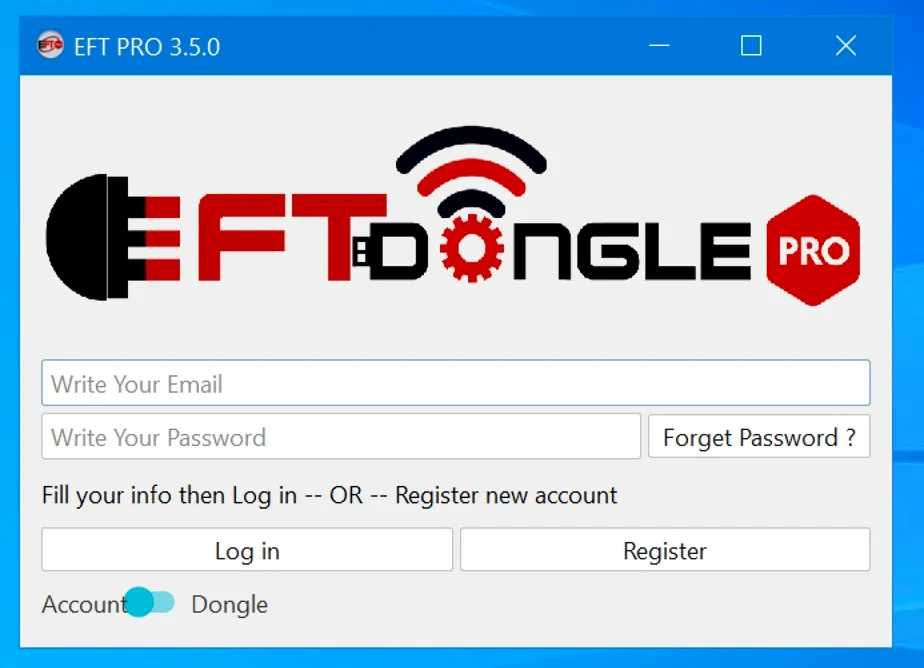
The EFT Dongle is a USB‑based device paired with software that helps you work on phones at a deeper level. You plug the dongle into a PC, run the EFT software, and choose the action you need — like removing FRP (Factory Reset Protection), unlocking bootloaders, reading device info, flashing firmware, or even handling Apple locks.
In more everyday terms, it’s like having a Swiss Army knife for phone servicing. One small stick on your USB port gives you access to menus and operations that would otherwise take hours of search‑and‑trial or multiple tools to do.
I remember trying to help someone recently with a Samsung tablet that had been reset without the owner’s account info. After plugging it in, adjusting a couple settings, and choosing the right mode in the tool, it cleared the lock without wiping the things that mattered — pictures of a kid’s first birthday. That kind of real‑world success is why this tool gets talked about in repair circles.
So What Is Version 26.0.1?
You might spot “26.0.1” on forums or update logs and think it’s a random number. It isn’t. On the newer EFT Pro Dongle versions, the Apple bypass module was updated to support iOS up to build 26.0.1 on certain chip models like Apple A12+ devices. That means if an iPhone or iPad is stuck behind an Apple ID or Hello screen on that iOS build, the updated dongle can help you get around it — provided everything else is set up right.
This doesn’t mean every iPhone magically becomes easy to fix, but it does extend the tool’s usefulness for newer iOS versions.
How You Use EFT Dongle (In Practice)
When someone asks me “How do I remove FRP with it?”, I explain it like this:
- Install drivers on your PC so your phone is recognized (very common step people miss).
- Connect the phone with a good USB cable. Cheap cables sometimes refuse to pass data.
- Open the EFT software that the dongle works with.
- Pick the operation you want (for example FRP Unlock or Bypass Apple ID).
- Follow the prompts — they usually guide you through entering the right mode (like Download or EDL for Android).
That sequence — install drivers, pick the right mode, follow prompts — shows up again and again. The people who skip drivers or try it with a bad cable usually come back frustrated.
Supported Devices and Chipsets
The tool supports Android devices on many chip types:
- Qualcomm – FRP, format, read/write flash, IMEI repair
- MTK – FRP reset, flash, unlock
- SPD / Rockchip – information, reset, flash
- Apple devices – Apple ID bypass up to build 26.0.1 on certain hardware
And that’s just the software side. Between the dongle and the PC app, you can switch modes to match the phone’s boot sequence.
A few times I had to work with older phones that didn’t want to go into the expected mode. It’s a bit like coaxing a shy pet into a carrier: different phones behave differently and you’ll learn it by doing a handful of times.
Why Some Phones Aren’t Recognized
If your phone isn’t showing up in the EFT interface, there are a few usual reasons:
- Missing or wrong drivers on your PC
- Faulty USB cable or port
- The device is on a security patch that blocks low‑level access modes (something many newer Samsung patches do now)
I’ve spent more time than I’d like chasing driver errors. My tip: install the official drivers and try port swapping before assuming the tool is broken.
Real World Choices: Is It Worth Using?
People often ask “Is EFT Dongle safe?”, “Is it better than free tools?”, or “Does it work without paying?” The short answer is: it’s a paid tool with a license/activation. You must activate it before full access. Some in forums joke about “free unlimited bypass,” but the real work comes from having a legitimate activated dongle.
Comparison threads online usually place tools like EFT alongside others like Chimera or Unlocktool — each has strengths and quirks. But if you’re servicing phones regularly, having one reliable suite of tools — especially one updated to support recent builds like iOS 26.0.1 — makes a difference.
Hidden Things Most Articles Ignore
- You need proper drivers for your OS to see the phone modes (ADB/EDL).
- Not every phone will enter the right mode on first try. Sometimes it’s a button combo away.
- New security patches may block some low‑level access, meaning you’ll need alternate steps or updated builds.
I once watched a tech friend walk someone through holding down specific buttons to get a stubborn phone into Download mode for ten minutes — patience counts.
1. What is EFT Dongle version 26.0.1?
Answer: EFT Dongle version 26.0.1 refers to its support for Apple device bypass on iOS up to build 26.0.1 in the Apple A12+ bypass module — meaning technicians can unlock newer iPhones stuck on Apple ID screens with this update.
2. How do I remove FRP with EFT Dongle?
Answer: Connect the phone to your PC, open the EFT Dongle software, select the FRP removal option that matches your device’s mode (ADB/Download/EDL), and follow the on‑screen steps.
3. Can EFT Dongle support Apple devices?
Answer: Yes — recent builds added Apple A12 bypass up to iOS 26.0.1, letting you tackle Apple ID locks on supported models.
4. Do I need to activate EFT Dongle before I use it?
Answer: Yes. You must activate your dongle or license so the software shows “Licensed” and allows full access.
5. Why isn’t my phone recognized by EFT Dongle?
Answer: Often a missing driver or poor USB cable. Install the proper drivers for Android/iOS and try a different cable or port.