If you searched for MRT Dongle 5.52, you’re likely facing a locked Android phone, a stubborn Xiaomi account, or a tool that isn’t behaving as expected. That’s usually when MRT Dongle enters the picture.
I’ve used MRT Dongle in real repair environments, mostly for Xiaomi and Samsung devices that other tools couldn’t finish properly. Version 5.52 feels stable and predictable once you understand how it behaves.
This guide skips marketing talk and focuses on what actually matters.
What Is MRT Dongle?
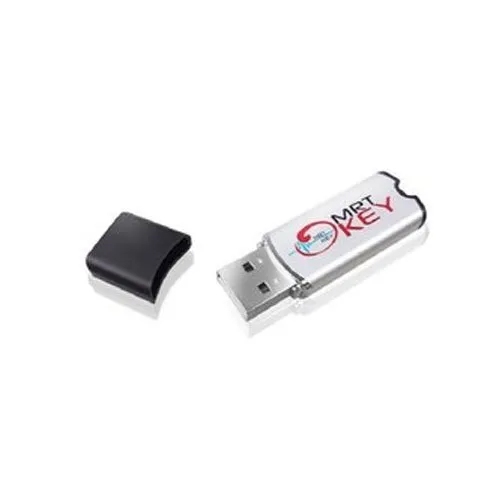
MRT Dongle is a hardware-based Android repair tool used by technicians for software-level fixes. It connects to a PC through USB and unlocks functions inside the MRT software.
Common uses include:
- FRP removal
- Mi Account handling
- Factory reset on locked phones
- Flashing supported firmware
- Reading phone information
It’s widely used for Xiaomi devices and selected Samsung models.
What’s New in MRT Dongle Version 5.52?
Version 5.52 doesn’t bring flashy design changes, but day-to-day use feels smoother.
From hands-on experience:
- Better Xiaomi detection
- Fewer freezes during account operations
- Improved driver communication on Windows 10 and 11
- More stable server connection than older builds
It’s one of those updates you appreciate after using it for a few jobs.
Supported Phones (What Users Expect vs Reality)
MRT Dongle 5.52 works best with:
- Xiaomi phones (many Redmi and Mi models)
- Some Samsung devices
- Selected MTK-based Android phones
Very new phones may show limited options at first. Tool support usually arrives after a while.
How MRT Dongle 5.52 Is Used in Real Repair Shops
This is how technicians usually work with it:
- Install drivers
- Plug in MRT Dongle
- Open the tool as administrator
- Select brand and function
- Power off the phone
- Connect using correct button combo
- Wait patiently
Most mistakes happen when users rush the connection step.
MRT Dongle 5.52 Not Working? Common Fixes
This is one of the most searched problems.
What usually helps:
- Disable antivirus temporarily
- Reinstall MRT drivers
- Use a different USB port
- Avoid USB hubs
- Run tool as admin
I once wasted an hour before realizing a USB hub was the issue.
Driver Errors and Device Not Detected
If the phone isn’t detected:
- Install proper Xiaomi or MTK drivers
- Use a short, good-quality cable
- Try another USB port
- Reboot PC and phone
These basic steps fix most detection complaints.
FRP and Mi Account Removal with MRT Dongle 5.52
MRT Dongle handles FRP and Mi Account removal well on supported models.
From real use:
- Older Android versions respond better
- New security patches may block some methods
- Wrong model selection causes failure
When it fails, it’s often due to patch limits, not tool faults.
Is MRT Dongle Safe to Use?
Yes, when used properly.
Problems happen when:
- Wrong option is selected
- Firmware doesn’t match the model
- Process is interrupted
Used calmly, it’s reliable.
Should You Update to Version 5.52?
Stick with 5.52 if:
- Your dongle works fine
- Supported phones match your needs
- You want fewer crashes
Update later if:
- New Xiaomi models aren’t detected
- Server issues appear
Stability matters more than chasing updates.
1.Why is MRT Dongle 5.52 not opening on my PC?
Because Windows security or missing drivers block it. Running as admin and reinstalling drivers usually fixes it.
2.Does MRT Dongle 5.52 work without the dongle?
No. The software needs the physical dongle connected to unlock functions.
3.Why does MRT Dongle say “server error”?
This usually happens when the tool or dongle firmware is outdated. Updating both fixes it most of the time.
4.Can MRT Dongle 5.52 remove Mi Account?
Yes, on many supported Xiaomi models, depending on Android version and patch level.
5.Will MRT Dongle erase phone data?
Some options do. FRP and reset functions usually wipe user data.