 Posted by
If you searched for Omnisphere 3.0, chances are you’re either thinking about upgrading, wondering if it’s worth the money, or stuck with a practical question no one clearly answers.
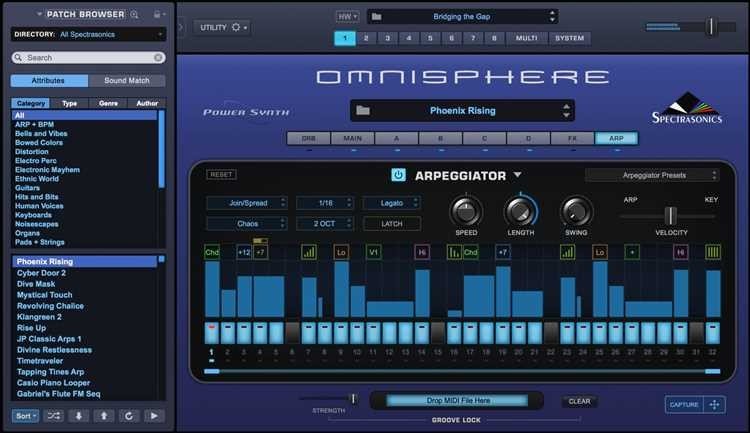
I’ve been using Omnisphere since version 2, across studio sessions, laptop setups, and half-finished beats at 2 a.m. This article isn’t marketing talk. It’s what actually matters when you use Omnisphere 3.0 day after day.
What Is Omnisphere 3.0?
Omnisphere 3.0 is a software synthesizer made by Spectrasonics. It combines sampled instruments, synth engines, and sound design tools inside one plugin.
People use it for:
- Music production
- Film scoring
- Game audio
- Ambient, trap, EDM, pop, cinematic music
Unlike simple synths, Omnisphere works more like a sound universe where presets, layers, and modulation live together. Version 3.0 focuses more on workflow and realism rather than flashy changes.
Omnisphere 3.0 Features That Actually Matter
Most websites list features without explaining why they help. Here’s what stood out in real use.
Smarter Sound Browser
Finding sounds is faster. The tagging system feels cleaner, and search results make more sense. When you’re working on a deadline, this saves minutes that add up.
Improved Hardware Integration
If you use MIDI controllers or hardware synths, Omnisphere 3.0 responds better. Mapping feels less fiddly, and performance mode behaves more predictably.
Better Acoustic and Hybrid Sounds
Pads and textures feel more alive. Not louder. Just more natural. Layering acoustic tones with synth elements feels smoother than before.
Workflow Tweaks
Small things matter:
- Less menu hunting
- Clearer modulation paths
- Faster preset loading
These aren’t flashy upgrades, but they reduce friction.
Omnisphere 3 vs Omnisphere 2 (Honest Comparison)
If you already own version 2, you’re probably asking this.
Omnisphere 3.0 doesn’t replace version 2 overnight. It refines it.
What stays the same:
- Core sound engine
- Preset library foundation
- CPU behavior when used correctly
What feels better:
- Browsing sounds
- Hardware control
- Layer handling
- Overall flow
If version 2 ever felt slow or cluttered, version 3 feels calmer.
Omnisphere 3 System Requirements (Realistic View)
Official specs don’t tell the whole story.
Works well on:
- Modern laptops (16GB RAM recommended)
- SSD storage (mandatory for sanity)
- Mid-range CPUs if you freeze tracks
Can Omnisphere 3 run on a laptop?
Yes. I’ve used it on a MacBook Pro and a Windows laptop. Heavy patches need care, but it’s manageable.
CPU usage tips:
- Avoid stacking 4-layer patches early
- Bounce or freeze when done
- Use Lite versions of presets
Omnisphere 3 for Beginners: What No One Explains
Beginners often think Omnisphere is “too much.” It’s not.
Start like this:
- Use presets only for the first week
- Learn the browser, not the engine
- Tweak filters and envelopes only
You don’t need sound design skills to make good music with Omnisphere 3.0. Many pros barely touch the deep engine.
Common Problems and Straight Answers
Does Omnisphere 3 work offline?
Yes. After activation, no internet is needed.
Install size?
Expect around 70–80 GB. Use an external SSD if needed.
Is Omnisphere 3 worth it?
If you:
- Produce regularly
- Want one plugin that covers many roles
- Value sound quality over trends
Then yes. If you just need basic synths, probably not.
Real-Life Use: Where Omnisphere 3 Shines
I use it most when:
- Sketching ideas fast
- Building atmosphere
- Layering subtle textures behind main instruments
It’s not always the star of the track. Often it’s the glue.
That’s where Omnisphere 3.0 quietly does its job.
Final Thoughts From Daily Use
Omnisphere 3.0 isn’t trying to impress beginners with flashy changes. It’s aimed at people who already create music and want fewer obstacles.
If you liked version 2 but felt slowed down, version 3 feels smoother. If you’re new, it’s still welcoming if you don’t rush.
1. Does Omnisphere 3.0 work without internet?
Yes. Once installed and authorized, Omnisphere 3.0 runs fully offline.
2. Is Omnisphere 3.0 too heavy for laptops?
No, if you manage patches wisely. Many users run it fine on mid-range laptops.
3. Do Omnisphere 2 presets still work in 3.0?
Yes. All Omnisphere 2 libraries load normally in version 3.0.
4. Is Omnisphere 3.0 beginner-friendly?
Yes, especially with the new browser and smart controls.
5. How much space does Omnisphere 3 need?
Roughly 70–80 GB, depending on optional sound content.