Large PDFs are annoying. Upload limits, email failures, slow loading. I deal with this often when sending scanned documents or archived reports. That’s how ORPALIS PDF Reducer Pro 4.0.9 ended up on my PC.
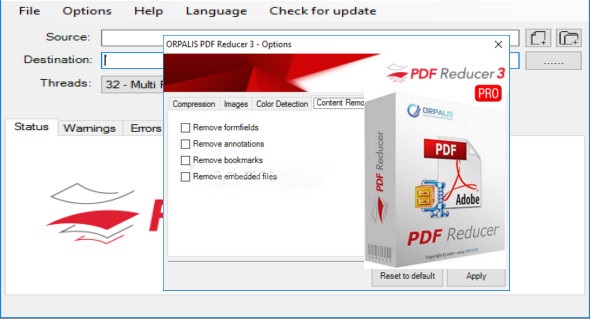
This article explains what it does, where it helps, and where it doesn’t. No exaggeration. Just usage.
What ORPALIS PDF Reducer Pro Actually Does
This tool reduces PDF file size by:
- Resizing embedded images
- Recompressing scans
- Cleaning unnecessary metadata
It doesn’t edit text. It doesn’t convert formats. It focuses only on shrinking PDFs.
Version 4.0.9 feels steady and simple. The interface hasn’t changed much, and that’s a good thing. No clutter.
Real Compression Test (Scanned vs Digital PDFs)
I tested three files:
- Scanned contract (48 MB)
After compression: 9.6 MB
Text stayed readable. Signatures didn’t blur. - Digital report with charts (12 MB)
After compression: 5.1 MB
Charts stayed sharp. Fonts intact. - Already optimized PDF (3 MB)
After compression: 2.8 MB
Minimal change, which makes sense.
This shows why some users think it “doesn’t work.” If the file is already clean, there’s little to remove.
Offline Use and Privacy
Once installed, ORPALIS PDF Reducer Pro 4.0.9 works offline.
No uploads. No cloud processing. Files stay on your machine.
For legal or office documents, that matters.
Batch Compression for Daily Work
One thing many reviews skip: batch processing.
I dropped 120 PDFs into the tool, selected medium compression, and let it run. No freezes. CPU usage stayed reasonable.
If you work with invoices, scanned forms, or archives, this alone saves time.
Output Quality Settings Explained Simply
You get three main modes:
- Low compression: barely changes size
- Medium: best balance for most users
- High: strong reduction, image-heavy PDFs only
I stick with medium. High mode can make scans look flat.
Common Problems and Fixes
PDF still large?
Check if it contains embedded fonts or vector drawings.
Images look blurry?
Lower compression level and retry.
Software feels slow on big batches?
Let it finish. It processes one file at a time on purpose to avoid crashes.
Who This Software Makes Sense For
Good fit if:
- You handle scanned documents
- You need offline PDF compression
- You send PDFs by email often
- You want batch processing
Not ideal if:
- You want free online tools
- You need editing or annotations
- You compress only one file a year
Final Thoughts from Daily Use
ORPALIS PDF Reducer Pro 4.0.9 does a boring job well. And that’s the point.
It doesn’t pretend to do everything. It shrinks PDFs without breaking them. After weeks of use, I trust it for work files, especially scans
1. Does ORPALIS PDF Reducer Pro 4.0.9 reduce scanned PDFs well?
Yes. It handles scanned PDFs better than most online tools by resizing images inside the file instead of flattening everything.
2. Can I use ORPALIS PDF Reducer Pro without internet?
Yes. After installation, it works fully offline.
3. Does PDF quality drop after compression?
Only if you choose aggressive settings. Balanced mode keeps text sharp and images readable.
4. Is batch PDF compression supported?
Yes. You can compress hundreds of PDFs in one go.
5. Why is my PDF still large after compression?
Some PDFs contain already-optimized images or embedded fonts that can’t shrink further.