 Posted by
 If your PC feels slow, unstable, or just “off,” PCMSCAN 2.4.12 is usually one of the tools people find first. Version 2.4.12 sticks to the same idea it’s always had: scan your system and point out possible problems.
That sounds simple, but this is where many users get confused.
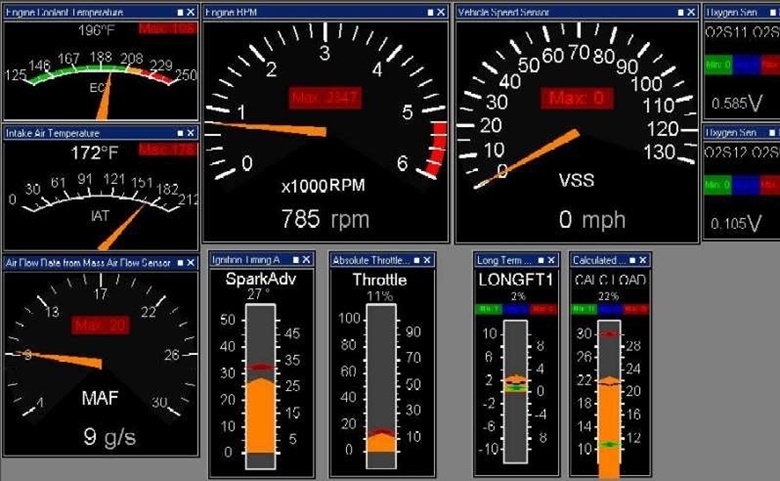
PCMSCAN doesn’t repair your computer. It checks system areas, looks for patterns linked to crashes or performance drops, and then lists what it finds. Think of it like a health report, not a doctor with medicine.
I’ve run PCMSCAN on clean systems before. Even then, it still reported issues. That’s normal. Windows systems collect leftovers over time, and PCMSCAN flags anything that doesn’t look perfect.
How PCMSCAN 2.4.12 Scans Your PC
PCMSCAN focuses on:
- System stability checks
- Crash-related logs
- Performance warnings
- Configuration inconsistencies
The scan is quick. On an average laptop, it usually finishes in a minute or two. Results show up in a simple list, often with technical wording that can look scary at first glance.
Here’s where many competitors fail: they don’t explain that these results are suggestions, not confirmed failures.
PCMSCAN 2.4.12 hasn’t changed this behavior. It still shows possible risks, not guaranteed problems.
PCMSCAN Scan Results Explained in Plain English
This is the part most people search for but rarely find explained clearly.
When PCMSCAN lists:
- “Critical issues” → usually system warnings
- “Stability problems” → past crash logs or driver notes
- “Performance risks” → configuration or background process hints
It doesn’t mean your PC is broken.
I’ve seen users panic after seeing 20+ issues. After checking manually, many of those were old logs from months ago.
So yes, PCMSCAN 2.4.12 does its job. But reading results calmly matters more than the scan itself.
Free Version Limits (And Why People Get Frustrated)
One common complaint: “Why can’t I fix anything?”
That’s because PCMSCAN is designed as a diagnostic tool. The free version scans only. No repair buttons. No cleanup options.
This isn’t hidden malware behavior. It’s just how the software is built.
If you’re a beginner, the best way to use PCMSCAN is:
- Run the scan
- Read results slowly
- Google specific items if unsure
- Decide next steps yourself
Is PCMSCAN Safe to Use on Windows?
Short answer: yes.
PCMSCAN doesn’t modify files during scans. It doesn’t delete data. It doesn’t run background tasks after closing.
The confusion usually comes from:
- Scary wording
- High issue counts
- No clear explanation inside the app
That’s why understanding PCMSCAN 2.4.12 matters more than installing it.
When PCMSCAN Actually Helps
PCMSCAN is useful when:
- You’re troubleshooting random crashes
- You want a quick system overview
- You need clues before deeper fixes
It’s not helpful if:
- You expect one-click repair
- You don’t read results carefully
- You assume every warning is urgent
I’ve used it as a first step tool, not a final solution. That’s where it fits best.
Who Should Use PCMSCAN 2.4.12
Good fit:
- Home Windows users
- Beginners wanting visibility
- Users diagnosing issues before repairs
Not ideal for:
- Advanced power users
- Automated cleanup seekers
- One-click fix expectations
PCMSCAN works best when you treat it as a report, not a repair shop.
1.Why does PCMSCAN show many errors after scanning?
PCMSCAN lists potential issues based on system checks, not confirmed damage. Many results are warnings, not real problems.
2.Does PCMSCAN fix problems automatically?
No. PCMSCAN scans and reports issues. Fixing requires manual steps or other tools.
3.Is PCMSCAN safe or a virus?
PCMSCAN itself isn’t malware. It’s a diagnostic utility, but users should understand what the scan results actually mean.
4.Why can’t I fix issues in PCMSCAN free version?
The free version is scan-only. Repair options aren’t included.
5.Should beginners trust PCMSCAN scan results?
Yes, but cautiously. Results should be reviewed, not acted on blindly.
(Expanded answers appear naturally below.)