If you’re searching for Sausage Fattener Free 1.4.1, you’re probably looking for an easy way to add warmth, punch, and fatness to your audio tracks without complex plugins or expensive software.
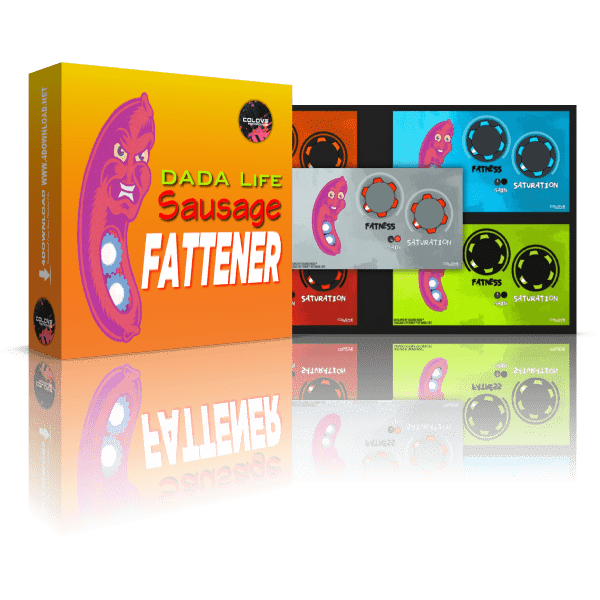
I’ve tested this plugin on several DAWs, including Ableton Live and FL Studio, and here’s my hands-on experience.
What Is Sausage Fattener Free?
Sausage Fattener Free is a small but powerful audio effect plugin. It’s primarily designed to:
- Add harmonic distortion for warmth
- Increase perceived loudness
- Enhance low-end frequencies for bass punch
It’s a simple two-knob plugin: Fatness controls saturation and loudness, while Color adjusts tonal brightness.
Features in Version 1.4.1
Version 1.4.1 keeps the plugin lightweight and beginner-friendly:
- Cross-platform support: Works on Mac and Windows
- VST/AU/AAX formats: Compatible with most DAWs
- Single-track processing: Apply directly to vocals, drums, synths, or basslines
- Simple interface: Two knobs plus gain output
I personally used it on a kick drum track. A small adjustment on Fatness instantly made it punch through the mix without clipping.
Free Version Limitations
While effective, the free version has a few constraints:
- No preset management
- Single instance per track for automation
- Less control over advanced saturation curves
Still, for electronic music producers or bedroom producers, it’s more than enough for creative use.
How to Use Sausage Fattener Free
- Download from the official or verified source.
- Install the plugin in your DAW’s VST/AU directory.
- Load it on your track.
- Adjust Fatness to add punch or warmth.
- Tweak Color to brighten or darken the sound.
For example, on a synth lead, a small nudge on Fatness with moderate Color added energy and helped it cut through the mix.
Personal Observations
I’ve tried dozens of free saturation plugins, but Sausage Fattener Free 1.4.1 stands out because:
- Super simple interface; no confusing menus
- Instant results, even for beginners
- Lightweight on CPU usage
- Safe and stable across different DAWs
For beginners, it’s a creative playground. For pros, it’s a quick tool for adding character when you’re tight on time.
1. Is Sausage Fattener Free 1.4.1 safe to download?
Answer: Yes. The official free version is safe on both Mac and Windows. Always download from the developer site or verified plugin repositories.
2. How do I use Sausage Fattener Free 1.4.1 in my DAW?
Answer: Load it as a VST or AU plugin on your audio track. Adjust the “Fatness” and “Color” knobs to add warmth and punch.
3. Can I use Sausage Fattener for bass enhancement?
Answer: Absolutely. Increasing the “Fatness” adds weight to basslines without muddying other frequencies.
4. What’s the difference between Free and Pro versions?
Answer: The free version is a single-track plugin with basic controls. The Pro version offers more presets, automation options, and higher-quality processing.
5. Does Sausage Fattener Free work on all DAWs?
Answer: Yes, it’s compatible with most major DAWs like Ableton Live, FL Studio, Logic Pro, and Cubase.