If you work with Android phones even part-time, you’ve probably heard the name TFM Tool Pro more than once. It pops up in repair groups, Telegram chats, and YouTube comments whenever someone asks about FRP or Mi account problems.
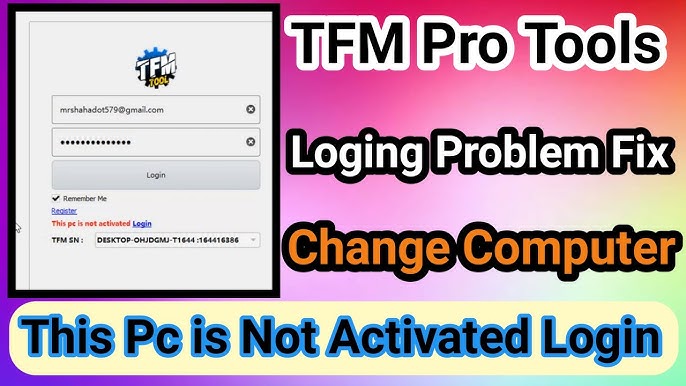
TFM Tool Pro 3.2.3 is the latest version people are talking about, and for good reason. It fixes a few annoying issues from earlier builds and adds support that technicians were asking for.
If you’re here, you’re likely searching for one of these:
- Is TFM Tool Pro 3.2.3 really the latest version?
- What changed in this update?
- Is it safe?
- Is it worth using compared to other GSM tools?
Let’s talk about it like someone who actually uses it on real phones.
What Is TFM Tool Pro Used For?
TFM Tool Pro is a Windows-based Android servicing tool. It’s mainly used for:
- FRP removal
- Mi account unlock
- Samsung utility tasks
- Basic flashing support
- Model info and security checks
I’ve seen many beginners think it’s a magic one-click tool. It’s not. But in the right situation, it saves hours.
What’s New in TFM Tool Pro 3.2.3?
The 3.2.3 update didn’t try to reinvent anything. Instead, it focused on stability and compatibility.
Better Samsung Support
Samsung FRP handling feels more stable, especially on mid-range devices. Some phones that failed repeatedly on older builds now respond on the first try.
Android 16 Compatibility
This is something many tools are still catching up on. TFM Tool Pro 3.2.3 adds partial Android 16 handling, mainly for Samsung models. Don’t expect miracles on every brand yet.
Fewer Random Crashes
Earlier versions had a habit of freezing mid-process. I’ve run multiple operations on 3.2.3 without sudden shutdowns, which already makes it more usable.
Supported Models in TFM Tool Pro 3.2.3
This is where many articles stay vague. Here’s the honest version.
Works best with
- Samsung phones (FRP, info, some unlocks)
- Xiaomi devices (older security patches)
- Oppo / Vivo (limited models)
- Tecno / Infinix (basic functions)
Still hit-or-miss
- New Xiaomi security
- Heavily patched Android 14+ phones
- Carrier-locked variants
If you repair phones daily, you’ll still need backup tools. No single tool covers everything.
Is TFM Tool Pro Free or Paid?
You can install it without paying. That’s where the confusion starts.
Most real functions require:
- Paid license
- Active subscription
Free mode is mainly for detection and limited info. Anyone claiming full free access is either outdated or misleading.
Is TFM Tool Pro 3.2.3 Safe?
This comes up a lot.
From my experience:
- It’s safe when downloaded from the official source
- Antivirus may flag it due to phone communication methods
- Adding exclusions usually solves it
I’ve used it on a dedicated Windows setup, not my main work laptop. That’s a habit I recommend for all GSM tools.
Common Problems Users Still Face
“TFM Tool Pro is not working on my Xiaomi”
That’s usually a security patch issue, not a tool bug.
“FRP removal stuck at waiting for device”
Drivers. Almost always drivers. Install proper USB drivers before blaming the tool.
“License activated but features locked”
Restart the tool and check internet connection. It’s annoying, but common.
Windows Requirements for TFM Tool Pro
- Windows 10 or 11 (64-bit)
- 8 GB RAM recommended
- Stable USB ports
- Internet connection for license checks
Older PCs can run it, but delays happen.
Is TFM Tool Pro Worth Using in 2026?
If you’re a technician, yes, as part of your toolkit.
If you’re a one-time user trying to unlock a personal phone, it may feel overwhelming. Paid tools make more sense for people who unlock phones regularly.
TFM Tool Pro 3.2.3 isn’t perfect, but it’s reliable enough to justify keeping it installed.
Q1: Is TFM Tool Pro 3.2.3 safe to use on main PCs?
Answer: Yes, if downloaded from the official source and used with antivirus exceptions.
Q2: Does TFM Tool Pro 3.2.3 support Android 16 phones?
Answer: Yes, limited Android 16 support has been added, mainly for Samsung models.
Q3: Is TFM Tool Pro free or paid?
Answer: The tool installs for free, but most functions require an active license.
Q4: Can TFM Tool Pro remove Samsung FRP without test point?
Answer: On some models, yes. Newer security patches may still need test point.
Q5: Why does TFM Tool Pro fail on some Xiaomi phones?
Answer: Xiaomi security updates often block common methods until tool updates catch up.