If you typed “UMT Dongle version 12.3”, you probably want what it is, what changed, and how it helps you with mobile servicing. I’ve used multiple repair tools over the years, and UMT Dongle stands out because even occasional users can do major tasks once they get comfortable with it.
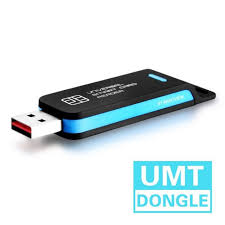
The specific version 12.3 update we’re talking about refers mainly to the QcFire component — a part of the UMT toolset that focuses on Qualcomm devices. That module was refreshed in mid‑2025 to work with newer chipsets, FRP scenarios, and encrypted user data on modern phones like Samsung, Xiaomi, and Huawei models.
What UMT Dongle Actually Is
UMT stands for Ultimate Multi Tool. It’s a dongle‑based solution used by mobile repair technicians and enthusiasts to do things that normal phone software doesn’t let you do — like flashing firmware, removing SIM locks, resetting Google accounts (FRP bypass), and even repairing aspects like the IMEI number on many (not all) devices.
Because it’s hardware‑driven, the tool needs:
- the UMT Dongle itself plugged into your PC
- the appropriate drivers
- the software modules (updated packages like 12.3)
What Changed in Version 12.3
Users often ask what “v12.3” stands for and why it matters. In 2025, the module known as QcFire v12.3 became a recent official update. This version expands the tool’s ability to:
- connect with more Qualcomm‑based devices
- reset FRP locks on newer Android versions
- repair or rewrite IMEI data where supported
- handle encrypted userdata partitions in certain devices
Unlike basic old tools that only flashed firmware, this update meant technicians could work with higher‑security phone locks and modern phone interfaces.
How Real Users Work With UMT Dongle
When I first tried UMT Dongle years ago, it felt like a steep learning curve — mostly because I jumped straight into flashing without understanding driver setup. That’s a common experience in forums, so let’s clear it up:
- Install the drivers on your PC — without proper drivers, your phone won’t communicate with the tool.
- Connect the phone in the right mode (ADB, Fastboot, EDL, etc.) depending on the function you want.
- Open the software module (like QcFire 12.3) and pick the correct brand/model profiles.
- Follow the prompts carefully — mis‑selecting options can lead to errors.
Because phones have changed and security has tightened, software like this updates often so it keeps up with Android system versions.
What You Can Do With It
Here are the features most workshops and tech repairers use regularly:
- Firmware flashing — useful when a phone won’t boot or is stuck in a loop.
- SIM/network unlocking — lets a phone work with other carriers.
- FRP bypass — gets past Google account locks after resetting the phone.
- IMEI repair — doing this is subject to local laws and tech training.
Some tools also help with face‑ID removal, Bluetooth repairs, or specific brand software quirks.
Hidden Questions Beginners Have
People often don’t say it directly, but they worry about:
Is this legal?
Using tools like this for repair work with customer consent and following your country’s rules is standard in many shops. If you’re doing things like IMEI edits, check local regulations — it might be restricted.
Do I need paid activation or license?
Typically yes. UMT Dongle often comes with a time‑limited activation (e.g., 12 months), and you buy updates or renewals from authorized sellers.
Can I use it without the physical dongle?
No. The software checks for the dongle to unlock functions — that’s part of how it prevents unauthorized use.
1. What exactly is UMT Dongle and what can it do?
Answer: UMT Dongle (Ultimate Multi Tool) is a mobile repair tool that lets technicians flash firmware, unlock devices, remove FRP locks, and repair IMEI on many phone brands.
It’s not just one thing — it’s hardware plus software working together, and you usually update its modules regularly.
2. What’s new in version 12.3 of UMT Dongle tools?
Answer: Version 12.3 (specifically QcFire v12.3) updated support for many Qualcomm‑based devices, added better FRP reset/IMEI repair options, and helps work with encrypted userdata on recent Samsung, Xiaomi, and Huawei phones.
This update matters if you’re working with the newest Android models.
3. Can UMT Dongle remove Google FRP lock on newer phones?
Answer: Yes — one of the functions in UMT Dongle software is FRP bypass on supported Android devices, which helps when users are locked out after a reset.
You still need the correct module and connection steps for the specific phone model.
4. Does UMT Dongle work on Windows 10 and newer PCs?
Answer: Yes — UMT Dongle installs software that runs on Windows systems (from older versions up to Windows 10 and beyond), and you need drivers for your PC to detect phones properly.
5. Do you need the physical dongle to use version 12.3 tools?
Answer: Yes — the software modules like QcFire v12.3 require the original UMT Dongle hardware plugged in to activate and work.
Without the dongle, you won’t be able to use most functions.