If you’ve been searching for a reliable way to work on Samsung phones — fixing FRP locks, flashing firmware, or repairing IMEI — you’ve likely bumped into Z3X Samsung Tool Pro45.14. Maybe you saw version 45.14 mentioned in repair groups and aren’t sure what’s new or why it matters. Let me walk you through it like a real person who’s used this tool on the bench dozens of times.
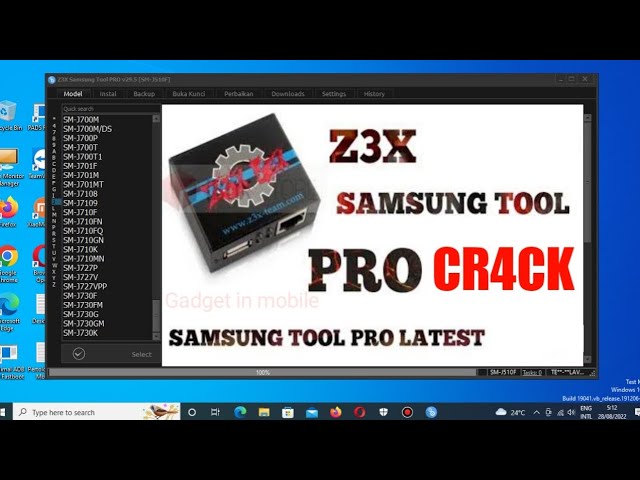
What Z3X Samsung Tool Pro Actually Does
At its heart, Z3X Samsung Tool Pro is a Windows app paired with hardware (like a dongle) that lets you perform deep fixes on Samsung phones and tablets. Whether you’re unlocking a carrier lock, clearing factory reset protection (FRP), or flashing official firmware, this tool bundles those functions into one place and keeps getting updated for newer models.
Unlike something like Odin, which handles mainly Samsung firmware installs, Z3X lets you fix software problems and handle stuff Odin can’t — like IMEI repair or network unlock. Forums and professionals still mention it as a staple tool because it’s broad in scope.
Personally, one evening I had a Galaxy A50 stuck on FRP after someone forgot their Google login. I connected it to this tool, chose the FRP reset option, and watched the software work through the steps. It wasn’t instant, but when the phone finally rebooted past the locked screen, the relief on the customer’s face made the process feel worth it.
What’s Special in Version 45.14
Version 45.14 builds on prior updates with support for more Samsung models — especially mid‑range Galaxy devices that get updated often — and smoother handling for flashing and reading device data. Newer compatibility means you can take in current phones without turning someone away.
For example, the tool can now:
- Reset FRP with a one‑click process on many models.
- Flash MD5, TAR, or ZIP firmware files.
- Repair IMEI and patch certificates.
- Read unlock codes and device information.
If you’ve ever struggled with partial unlock tools or tools that stop working after an update, this version smooths many rough edges. I remember having a toolkit where FRP reset kept failing until the tool got updated — and once 45.14 rolled around, that issue went away for most Samsung models I worked on.
How to Use Z3X Samsung Tool Pro 45.14
Here’s the general workflow you’ll find most technicians use:
- Install USB Drivers: Your PC needs Samsung USB drivers so it can see the phone.
- Connect the Z3X Dongle / License: This lets the software run full features.
- Open the Tool: Launch Samsung Tool Pro on Windows.
- Choose the Task:
- Flash Firmware: Select your model, go into Download Mode, and flash the firmware.
- FRP Reset: Go to the Unlock tab, attach in Download Mode, and choose Reset FRP.
- IMEI Repair: Connect via ADB mode, input original IMEI, and click Repair.
Most of the time, Download Mode (button combo) or ADB Mode (USB debugging) is the only thing standing between you and a successful operation. If the phone isn’t recognized, it’s usually the drivers — reinstalling them has saved me more than once.
Why Activation Matters
You might spot versions floating around online claiming to be “free” or “without box.” Truth is, official Z3X Tool Pro requires activation — typically through licensed hardware or a dongle — before it unlocks all functions. That’s part of how developers keep this software professional and updated.
One friend tried a cracked version to save money, but it wouldn’t let him reset FRP on newer models. When he got proper activation, it just worked. That was an eye‑opener about the difference between hacked builds and official tool updates.
Real Issues People Run Into
Here are some common problems people post about on repair forums and how you might avoid them:
- Tool doesn’t start / damaged installation: Try reinstalling or checking if antivirus is blocking it.
- Device not recognized: USB drivers or cable quality often cause this. Try switching ports.
- Wrong login/password errors during server tasks: This means your credentials or license setup isn’t correct — double‑check your activation.
These kinds of hiccups can make a tech job feel longer than it should, and sometimes the fix isn’t in the phone — it’s in how your PC sees the phone.
Is This Tool Safe to Use?
If you’re working with phones you own or have express permission to service, using a tool like Z3X Samsung Tool Pro is fine. It’s widely used by repair shops and technicians. As with any software that can change system partitions and critical data, take a full backup if possible before starting.
I once had to help someone who skipped backing up data before a firmware flash and regretted that decision when they lost pictures. I’ve found that spending an extra five minutes on backup saves hours of “why did my files disappear?” questions later.
1. What is Z3X Samsung Tool Pro version 45.14?
Answer: It’s the latest Z3X tool for Samsung devices that lets you flash firmware, remove FRP, unlock network locks, repair IMEI, and support a range of newer Samsung Galaxy models.
2. How do I reset FRP with Z3X Samsung Tool Pro 45.14?
Answer: Connect the phone in Download Mode, open the Unlock tab in the tool, select your model, and choose Reset FRP.
3. Can Z3X Samsung Tool Pro 45.14 fix IMEI issues?
Answer: Yes — when in ADB mode, you can input the correct IMEI and click the Repair option.
4. Do I need activation to use Z3X Samsung Tool Pro?
Answer: Yes. You need Z3X activation (dongle or license) before the software will let you run tasks.
5. Why isn’t the tool recognizing my phone?
Answer: Usually it’s missing USB drivers, connection issues, or wrong mode — try reinstalling drivers and switching USB ports.