If you searched for “ZXW Dongle version 4.0”, you’re probably trying to figure out what’s the current setup, how it works in 2026, and whether you still need a physical dongle. Good news — you’re in the right place.
I’ve been tinkering with repair tools for years, and ZXW has shown up in every technician forum I visit. Version 4.0 — released as the latest ZXW Tools package — has changed how many people access schematics and board views.
What Is ZXW Dongle?
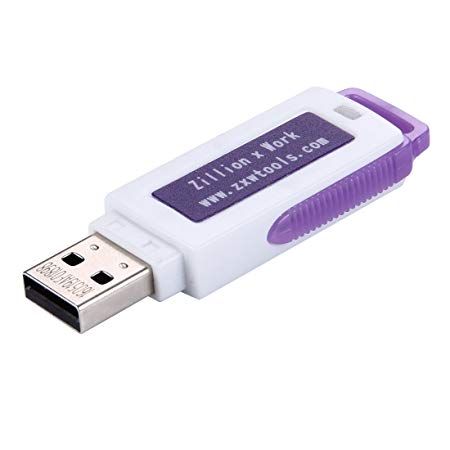
When people say “ZXW Dongle,” they’re talking about the old hardware license that unlocks the ZXW Tools software. This software shows you smartphone and tablet circuit diagrams so you can diagnose broken logic boards without guesswork.
The dongle was once the default way to activate the software: you plugged it into your PC’s USB port, launched ZXW Tools, and got access. But that model is fading.
Why Version 4.0 Matters
Great question — up through versions like 3.3x, ZXW Tools updates were mostly tied to the dongle. You had to upgrade the dongle license or buy a new one.
Now with version 4.0, the landscape has shifted heavily toward online account activation.
That means:
- You don’t need the physical dongle to use the software.
- You can buy an authorization code, register a ZXW account, and activate your access online for one year.
- One account can be used on multiple computers (up to a limit), which makes life easier for shop owners who switch machines.
For many technicians, this change saved time and shipping expenses for dongles.
What ZXW Tools Does
You open the software, select your phone model, and then view:
- Full motherboard diagrams
- Trace routing maps
- Component labels and logic diagrams
- Repair bitmaps and notes
Having this info on hand means you don’t guess where a resistor or capacitor goes after you reflow a part — you see it. This is what technicians live by during board‑level repair jobs.
How to Activate ZXW Tools 4.0
If you’ve never done it before, the activation feels strange at first.
Here’s what people usually ask when they first try it.
First, register an account on the ZXW Tools site.
This becomes your central login.
Then, after purchasing:
- You’ll get an authorization code — usually a serial plus password.
- Input that into the software when prompted.
- The software unlocks full access for one year.
People used to fight with USB dongles and drivers. Now you just sign in, enter your code, and go.
Does the ZXW Dongle Still Work?
Yes — but its role is diminished. You can still activate older dongles or convert them to an online account if you prefer.
A couple of hidden things I’ve seen on repair forums:
- Older dongles could be registered on multiple computers, but only up to a certain count.
- Once you convert a dongle into an online account, you can’t use it as a dongle anymore.
So convert only if you’re sure.
Easy Setup on Windows
ZXW Tools runs on Windows systems. You typically:
- Download the ZXW Tools 4.0 package.
- Unzip and install or run the executable.
- Sign in with your ZXW account.
- Enter your authorization code and activate.
- Choose your language and preferences.
Many technicians prefer Chinese UI by default, but English switches easily inside the options.
Troubleshooting Common Issues
I’ve been on forums when people say things like “It loads then shuts down.” Often the cause is:
- Antivirus flags or deletes files
- Language settings are wrong
- You’re trying to run an old dongle version with the latest installer
A quick fix often is to add the ZXW Tools folder to your antivirus ignore list and use an English language path in your Windows settings.
Choosing Between Dongle & Online Access
Here’s the practical part: if you have older dongle hardware, keep it around. But if you’re setting up a new shop or want simpler access, using an authorization code and online account is usually easier and cheaper.
Q1: What exactly is ZXW Dongle?
It’s a hardware license key for ZXW Tools that gives access to mobile phone schematic diagrams and repair information used in board‑level diagnostics.
Q2: Do you still need the physical ZXW Dongle for version 4.0?
No, you can now use an online authorization code instead of a dongle to access ZXW Tools 4.0.
Q3: How long is ZXW software access valid?
Online activation or dongle access is valid for one year and must be renewed annually.
Q4: Which Windows versions support ZXW Tools?
Windows 7, 8, 8.1, and 10 (32/64‑bit) are supported by official activation systems.
Q5: Can I run ZXW Tools without internet?
The software itself needs internet for updates and activation, but once activated, viewing schematics doesn’t require an active connection.