If you’ve worked on Android phones for any length of time, you’ve probably heard of NCK Dongle.18.8 Some people call it confusing. Others swear by it. Version 18.8 is still widely used in repair shops, especially for unlocking and servicing older and mid-range devices.
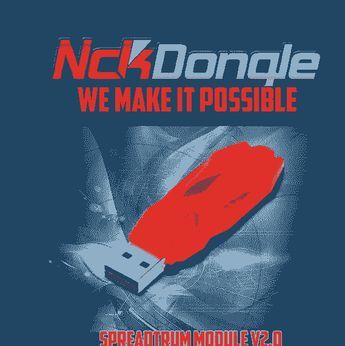
This page exists for one reason — to explain what NCK Dongle 18.8 really does, how technicians use it, and what causes the problems people keep asking about.
No hype. No shortcuts. Just real use.
What Is NCK Dongle?
NCK Dongle is a hardware-based GSM repair tool. It connects to a computer and works with supported software to handle tasks like:
- Network unlocking
- Reading phone information
- Security repair on supported models
- Basic servicing functions
Because it uses a physical dongle, licenses are tied to hardware, not accounts. That’s one reason repair shops still rely on it.
What Changed in NCK Dongle 18.8?
Version 18.8 focused more on stability fixes and extended model handling rather than flashy features. From hands-on use, the biggest changes users notice are:
- Fewer random disconnects
- Better response with older MTK chipsets
- Improved detection speed on stable systems
It’s not perfect, but it’s more predictable than some earlier releases.
Supported Phones — What People Get Wrong
One of the biggest misunderstandings online is “supported model” lists.
Just because a phone connects doesn’t mean every feature works. In real shop conditions:
- Older Samsung, Huawei, and MTK phones behave better
- Newer models often connect only for info reading
- Security operations depend on chipset and firmware
That’s why two technicians can get different results on the same phone.
Common Problems and Why They Happen
Dongle Not Detected
This almost always comes down to:
- Missing drivers
- USB hubs with weak power
- Windows security blocking the service
Plugging the dongle directly into the motherboard USB port fixes it more often than people expect.
Software Freezes on “Connecting”
I’ve seen this happen when:
- Other repair tools are open
- Antivirus scans the executable
- The phone cable isn’t stable
Closing background tools saves a lot of time.
License Errors
Licenses don’t vanish randomly. They fail when:
- System date changes
- Internet connection blocks verification
- The dongle isn’t seated properly
Restarting the PC solves half these cases.
Real-Life Shop Experience
In one repair shop I visited, NCK Dongle 18.8 ran daily on the same Windows machine for months without issues. Another shop had nonstop errors — same dongle, different system setup.
That tells you something.
These tools don’t fail randomly. Environment matters.
Windows 11 and Compatibility
NCK Dongle 18.8 works on Windows 11, but only if:
- Drivers are installed manually
- Secure boot isn’t blocking unsigned drivers
- USB power saving is disabled
Skipping those steps causes most “it doesn’t open” complaints.
Who Should Still Use NCK Dongle 18.8?
It still makes sense if:
- You repair older Android phones
- You need stable unlocking tools
- You prefer hardware-based licenses
If your work is mostly brand-new models, newer tools may feel smoother.
Is It Beginner-Friendly?
Honestly? Not fully.
It’s better for:
- Technicians with basic flashing experience
- People who understand chipset differences
- Shops that don’t experiment on customer phones
That learning curve is real, and pretending otherwise doesn’t help anyone
1) Why does NCK Dongle show “not detected” even when connected?
Short answer: Most cases are driver conflicts or USB power issues.
It usually happens after Windows updates or when the dongle is plugged into unstable USB ports.
2) Does NCK Dongle 18.8 support newer MTK phones?
Short answer: Partially.
Some newer MTK models connect, but advanced security features may need updated loaders.
3) Why does NCK software freeze during phone detection?
Short answer: Background tools like antivirus or other GSM software interfere.
Closing them often fixes the issue.
4) Is internet required every time NCK Dongle runs?
Short answer: No, but license checks do require occasional online access.
5) Can NCK Dongle damage a phone during operations?
Short answer: Only if the wrong option or model profile is selected.
The tool itself doesn’t force risky actions.
Leave a Reply